
 Ira - AI Receptionist
 Sia - AI Scribe
 Milo - AI Insurance Coordinator
 Novi - AI Retention Manager
Online scheduling for dental practices that follows your practice rules.
Give patients dental scheduling software that lets them choose an enabled visit type, provider, and available time—without showing appointments your practice does not want booked online.
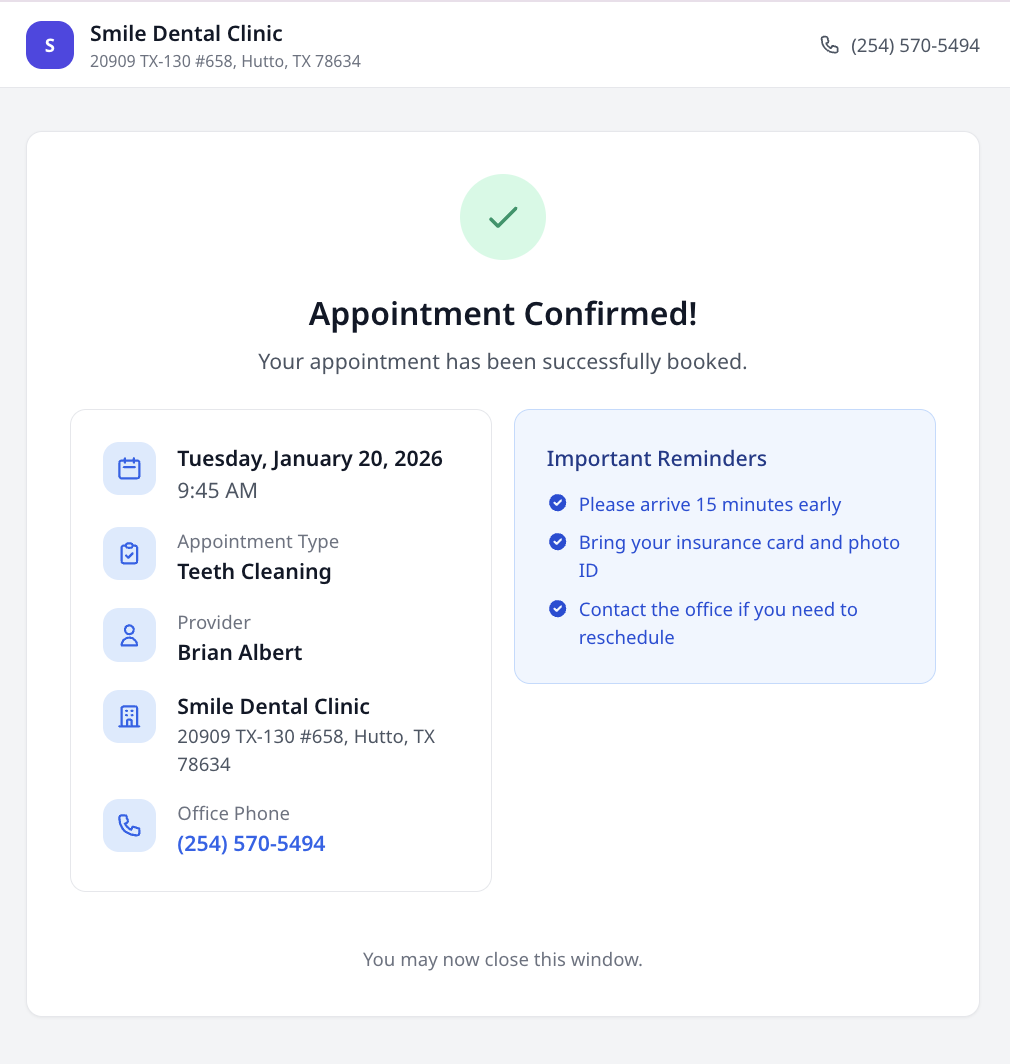
Watch how patients book appointments
How online scheduling works
Patient visits your booking page
Share your unique booking URL on your website, social media, or marketing materials. Patients can access it anytime.
They pick a provider & time
Patients choose their appointment type, preferred provider, and an available time slot that works for their schedule.
Appointment syncs to your PMS
The booking is instantly created in your practice management system. No double entry, no phone calls needed.
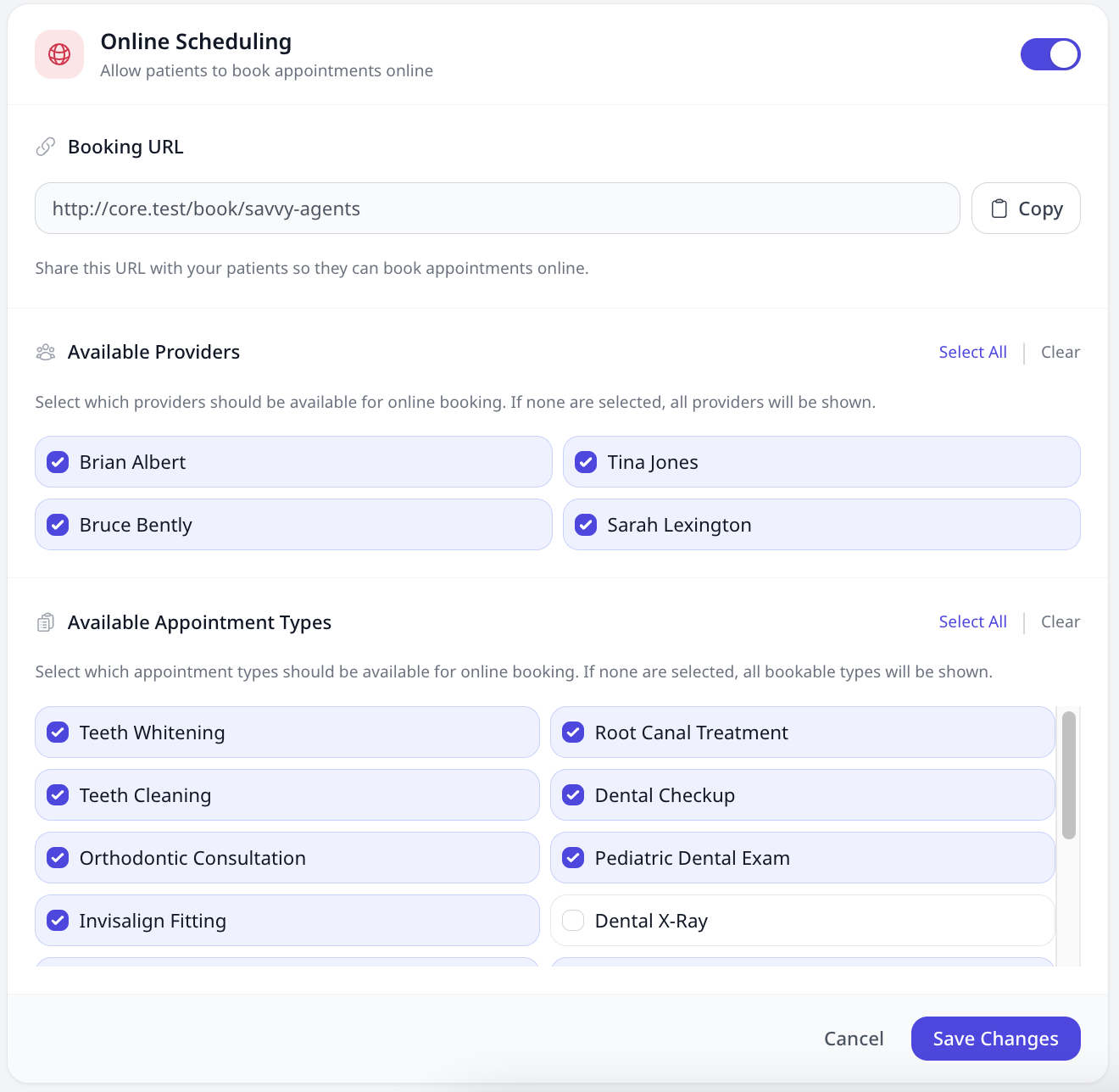
Decide exactly what patients can book.
Your public booking page is shaped by the setup your practice approves. Enable the visit types, providers, and operatories that belong online, while availability and scheduling restrictions protect the calendar behind the scenes.
One-click enable/disable
Turn online booking on or off instantly when needed.
Provider selection
Choose which dentists and hygienists appear for online booking.
Appointment rules and resources
Connect enabled visit types to the appropriate providers and operatories, then honor configured scheduling restrictions.
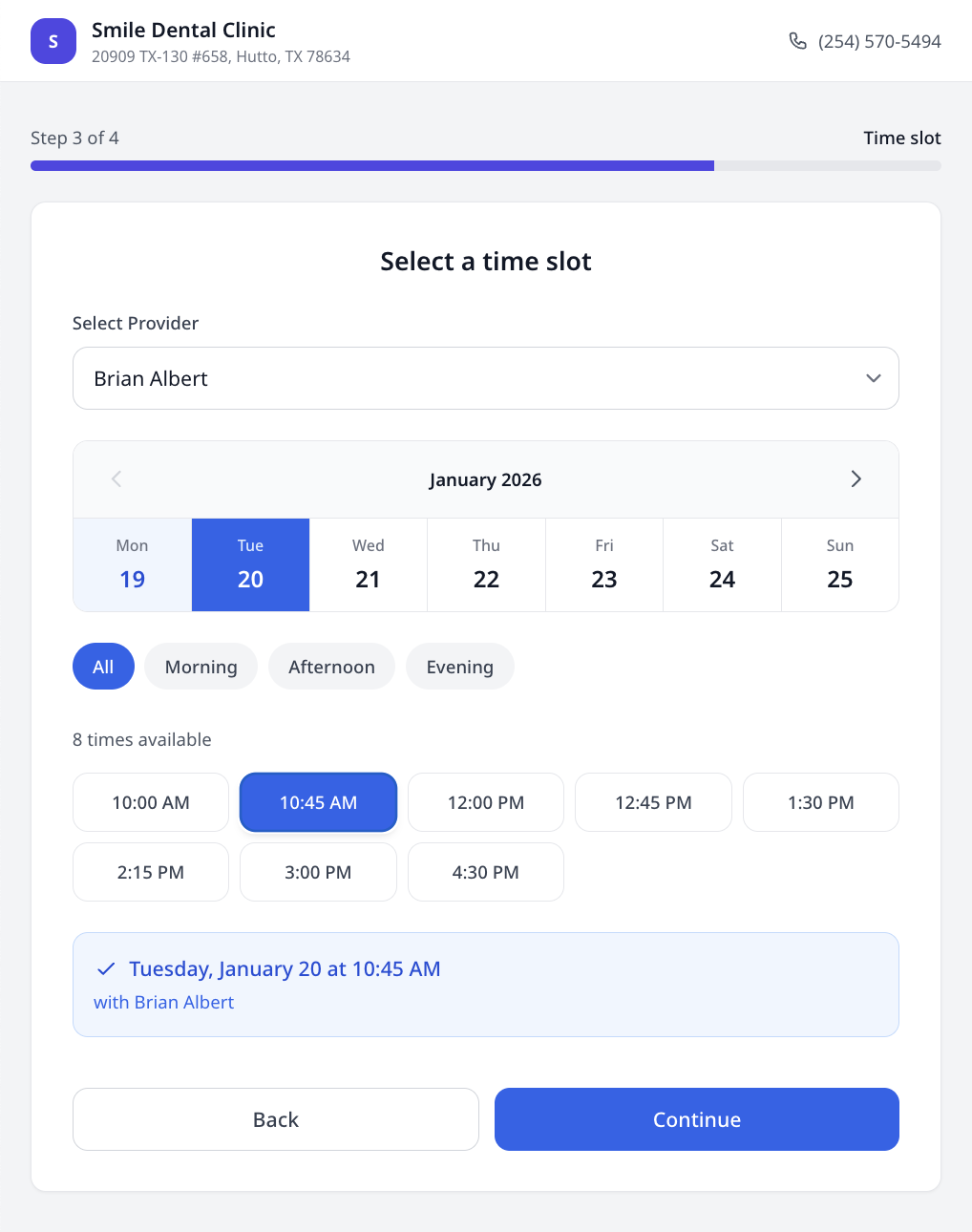
Beautiful, mobile-friendly booking
Your patients get a modern, easy-to-use booking experience that works perfectly on any device. No app downloads required.
Mobile-first design
Looks great and works perfectly on phones, tablets, and desktops.
Real-time availability
Patients see live open slots synced with your PMS calendar.
New & existing patients
Supports both new patient intake and returning patient booking.
How to choose dental scheduling software for your practice
Start with the job you need done. If you want patients to book online while keeping your existing practice management system, evaluate how the booking experience connects to that calendar. Savvy Agents adds patient-facing scheduling to a supported PMS connection; your PMS remains the system of record for the visit.
- Will it work with our PMS connection?
- Online booking works with supported PMS connections and an enabled practice location. Confirm your exact PMS and location setup in the demo, then follow a test booking through to the PMS calendar. Availability for online self-booking should be checked separately from AI phone scheduling.
- Can we control which appointments patients book?
- Your practice can enable online booking and select the visit types and providers offered to patients. Bring a new-patient exam and a returning-patient visit to the demo. Check the duration, provider, operatory, and available times for each before opening those visits to patients.
- What happens if a booking cannot be completed?
- A chosen time is not a confirmed appointment until the booking succeeds. If Savvy Agents cannot complete the booking, the patient is asked to try again or call the office directly. Include an unavailable slot in your evaluation so your team can review the recovery path as well as a successful booking.
- What should we confirm before choosing a plan?
- Ask for a quote covering your locations, PMS connection, setup, and the workflows you need. Review online booking, patient forms, and appointment confirmations together, and confirm what is included. Choose based on a demonstrated workflow for your practice and a clear scope of service.
Connect online booking to the visit
Dental scheduling software works best when the next steps stay connected.
Front Office Automation
See how booking continues into forms, confirmation, insurance preparation, and staff handoff.
Explore front office automation →Digital Patient Forms
Send the right mobile paperwork after a supported visit is booked.
Explore digital patient forms →Appointment Confirmation
Coordinate text and phone confirmation around the exact upcoming visit.
Explore appointment confirmation →Works with your existing systems
Ira writes directly to your PMS. No new dashboards, no data entry. Scheduling and notes stay accurate automatically.










Ready to let patients
book online?
Bring your appointment types, provider preferences, and scheduling restrictions to the demo. We will show how the patient experience can reflect the way your practice actually books.